 Daven
Daven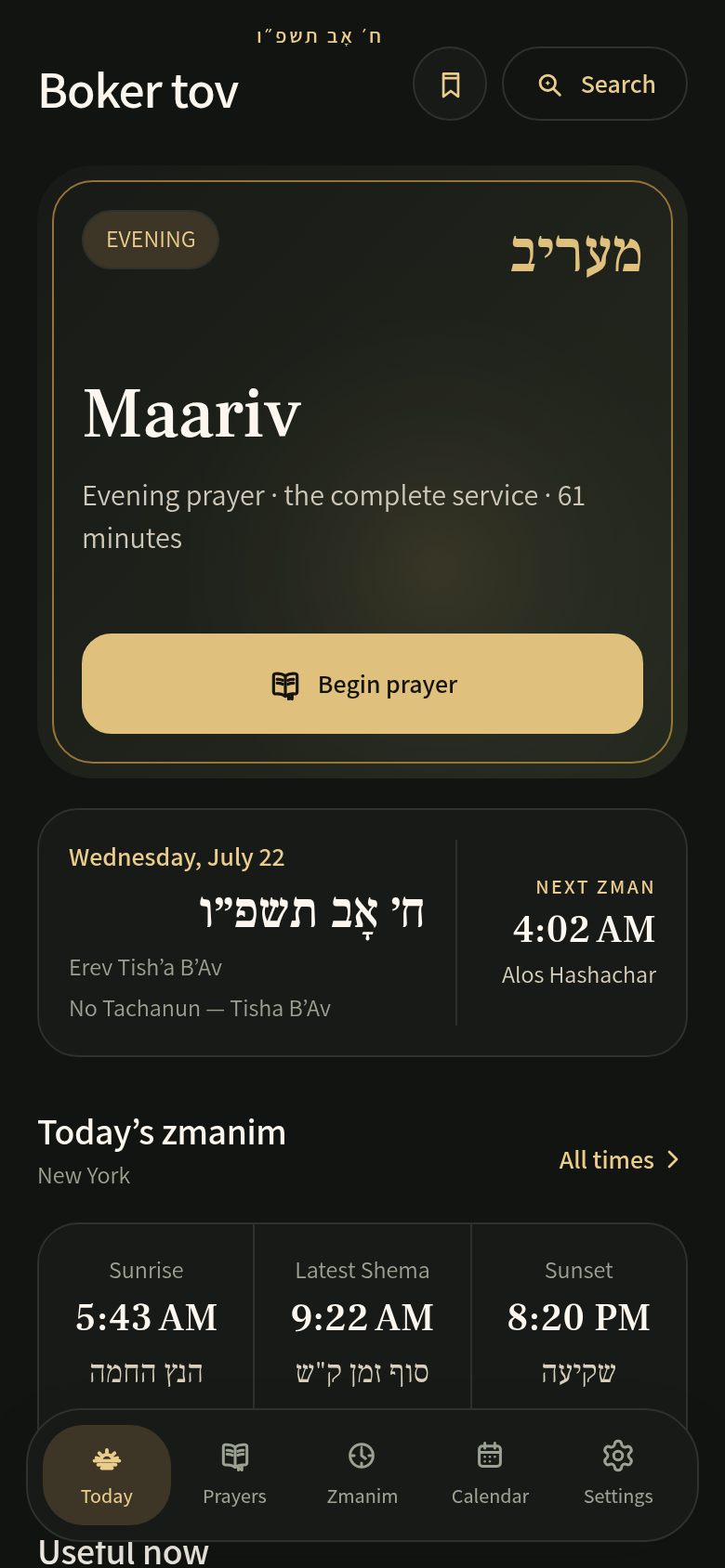
What you can use for free
The daily siddur in four nusachim, all 150 chapters of Tehillim, and core zmanim. The prayer library is stored on your phone, so you can read without a connection. You don’t need an account, and downloading the app does not start a paid subscription.
Your nusach, throughout the service
Choose Ashkenaz, Sefard, Edot Mizrach or Chabad in Settings → Nusach. Daven changes the prayer text for your selection and uses the Jewish calendar for seasonal insertions. Set whether you daven alone or with a minyan to guide how communal passages appear.
Start with three simple steps
- Choose your nusach. Use the opening setup or change it in Settings.
- Check your location and calendar. Choose your city and the Israel or Diaspora schedule that applies to you.
- Open Today. Begin the suggested service, or choose from the prayer library. Adjust the reader’s text size to suit you.
Local zmanim, with the method shown
See the day’s prayer times for your chosen city. Calculation methods and local practice can differ; use your community’s guidance. Premium adds six opinions side by side.
Find the weekly parsha
Open Calendar and select an upcoming Saturday. The details below the month grid include the parsha when available. See where it appears on Today and how to choose the Israel or Diaspora schedule.
When you want more
Optional Daven Premium adds English translation and transliteration, Prayer Direction, the specialty and seasonal library, and sync between devices. Eligible new subscribers can try it free for 7 days. See the plans and renewal terms.
A note about Shabbos and Yom Tov
Daven’s default rest screen steps aside on Shabbos and Yom Tov. This is an adjustable setting; follow your own practice.